
 Ideal for:
- For Accountants
- For Small Businesses
- For E-commerce
Got your login info? Here is link to the form:
Test by Form
Never Enter Another Invoice Manually Again
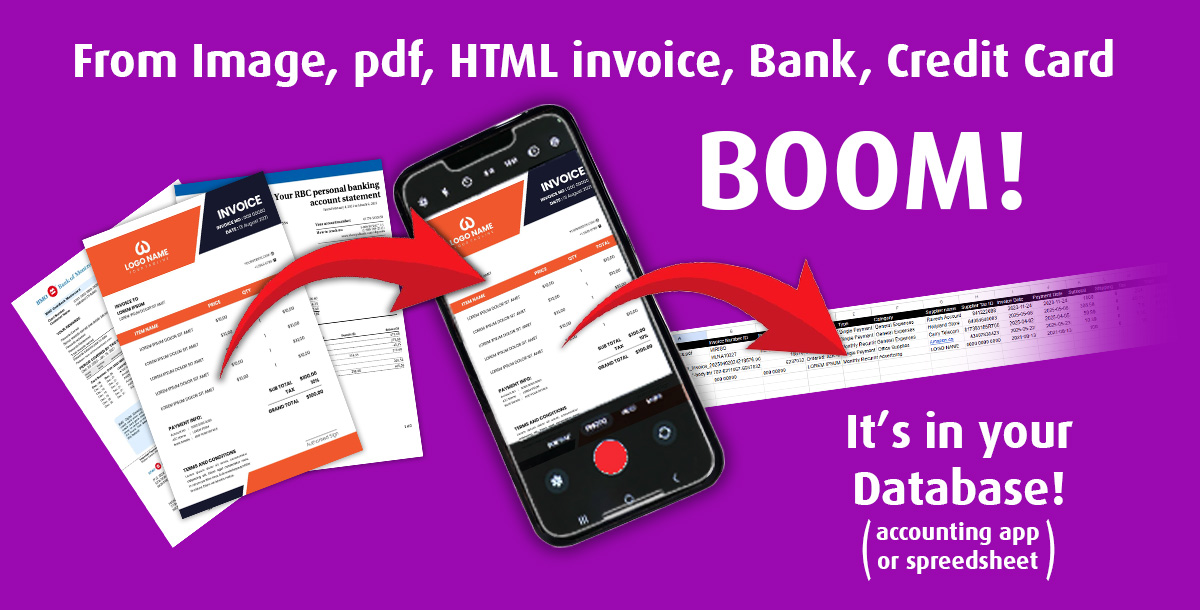
Let AI handle your invoice and receipt, bank and credit card statements processing (paper, jpg, png, html, pdf). Our service transforms them into structured, usable data for accounting or bookkeeping and inserts that data directly into your database or spreadsheet—ready for use with any software.
How It Works:
Simple Setup (couldn't be Easier):
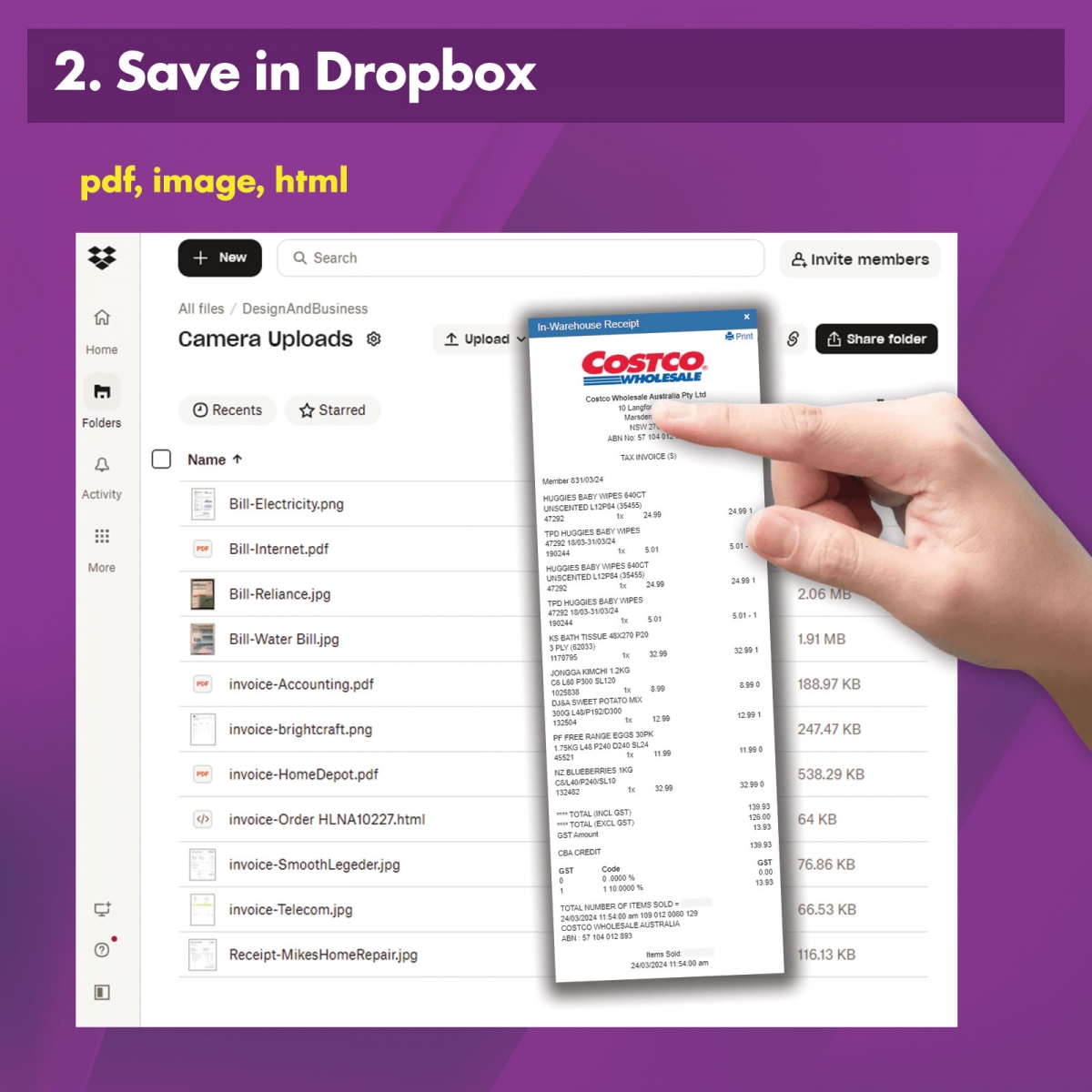
- Connect your storage (Dropbox, etc.)
- Upload your documents
- Start processing instantly
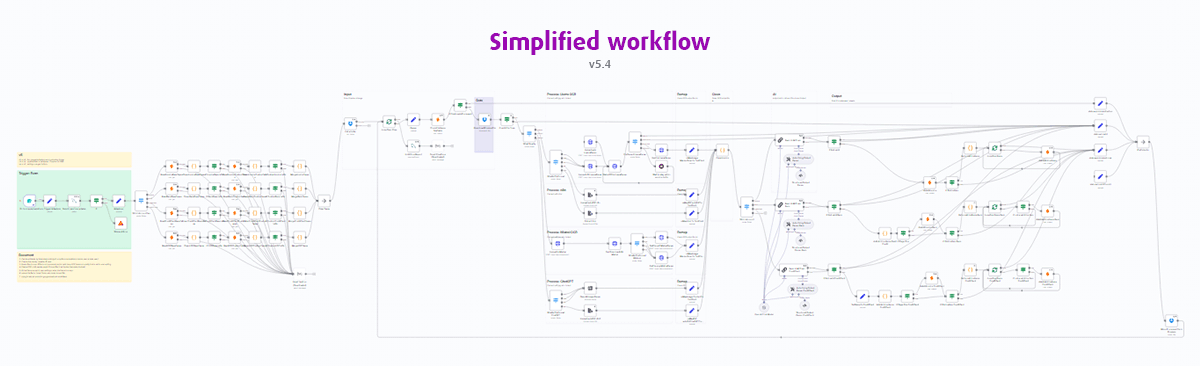
We handle the rest in the background: AI processing, Dropbox integration, OCR, automations, error handling, Database, and final report generation.
Easy to use:
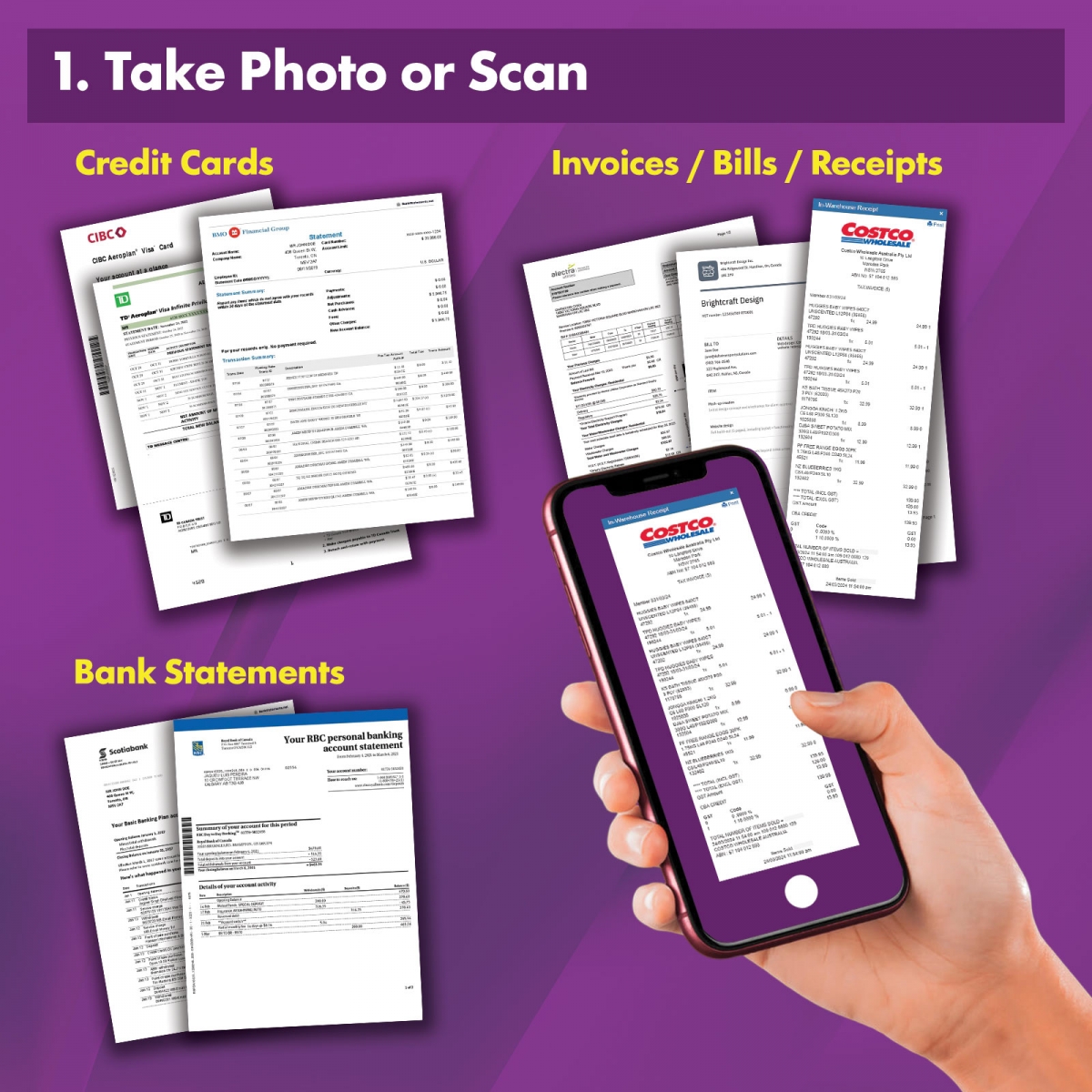
- Upload your documents (invoice, receipt, band and credit card statements) to your Dropbox.
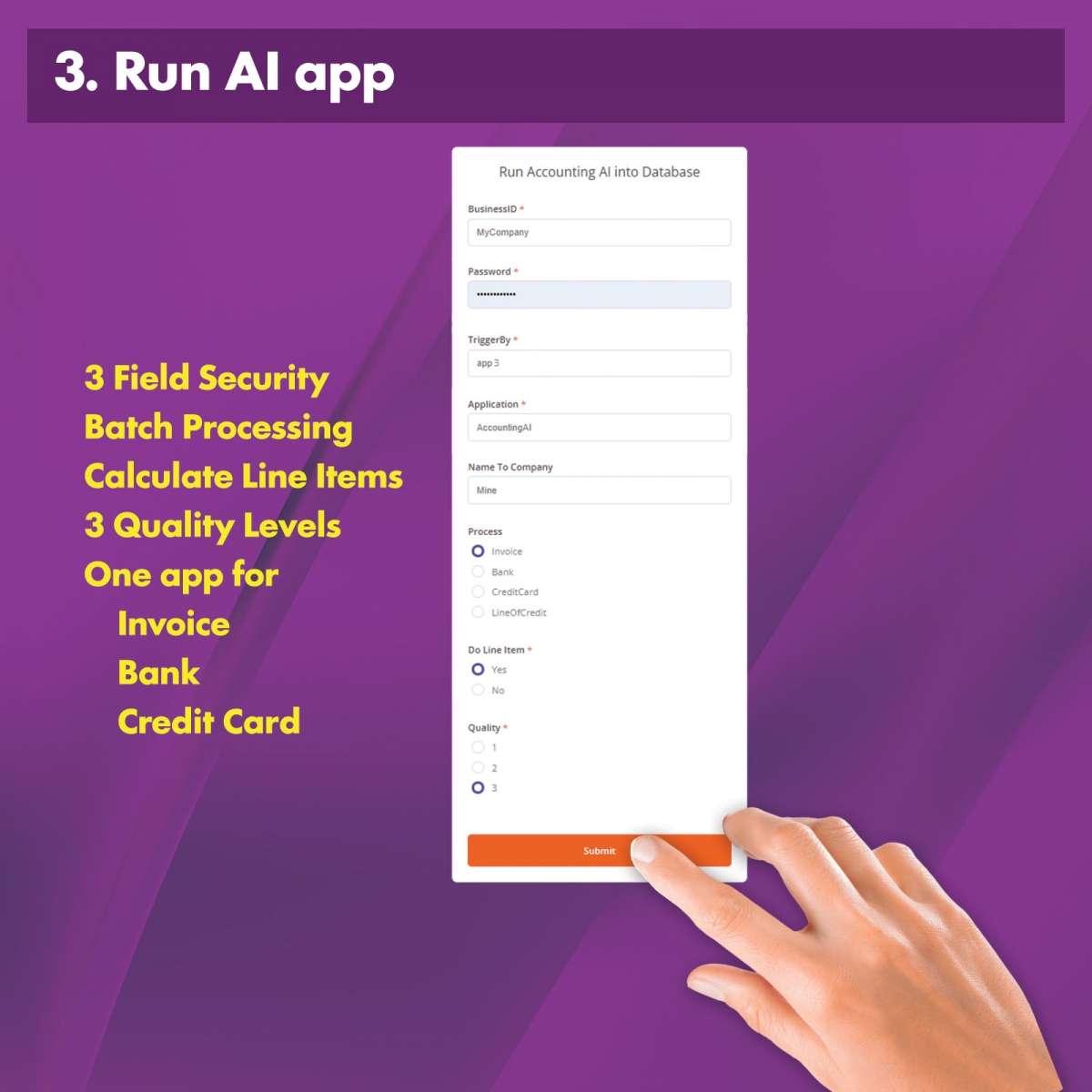
- AI Processing: Submit processing by a button and, our AI extracts organizes and calculates categories and tax into structured digital information.
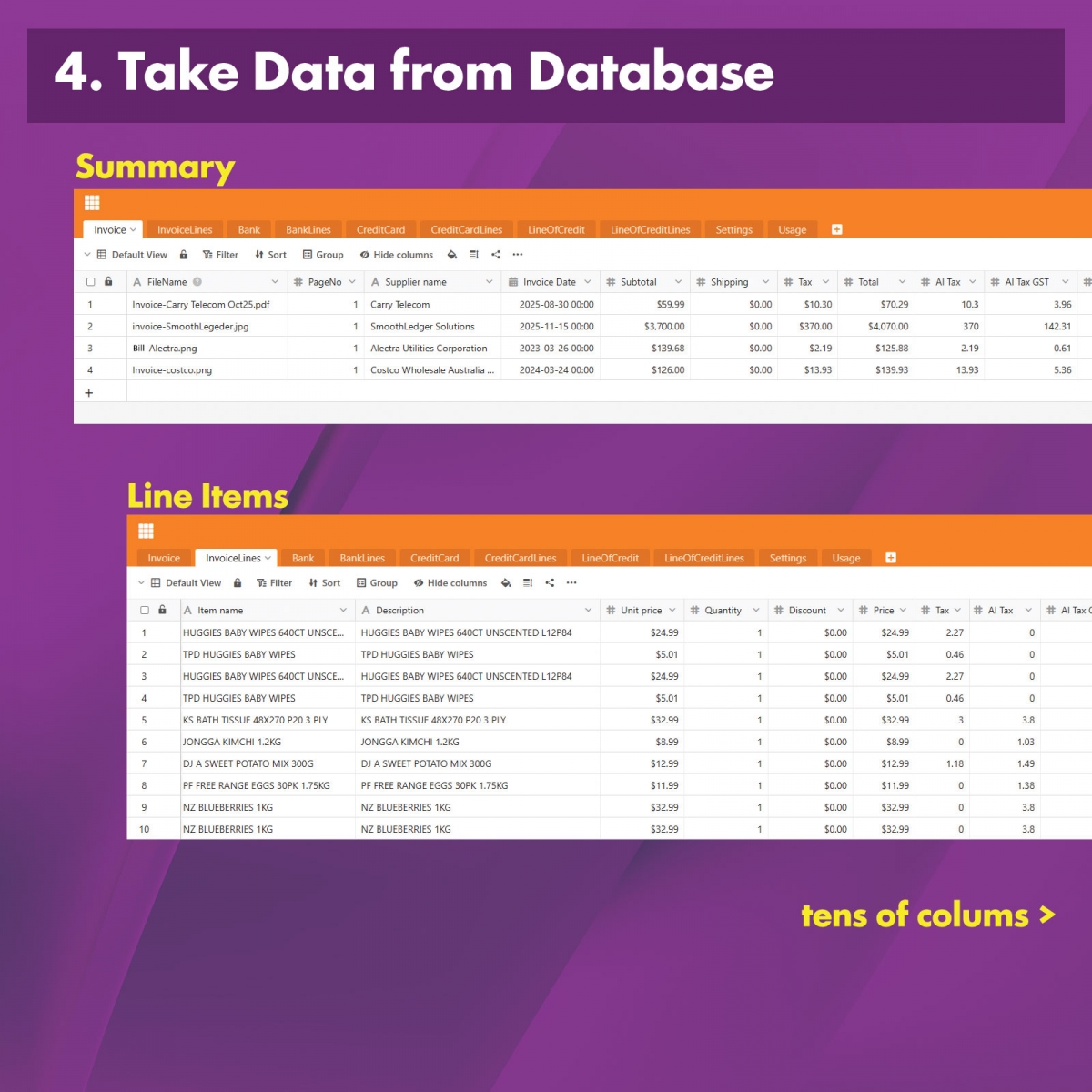
- Get your Data: Get clean, organized data in your live online database.
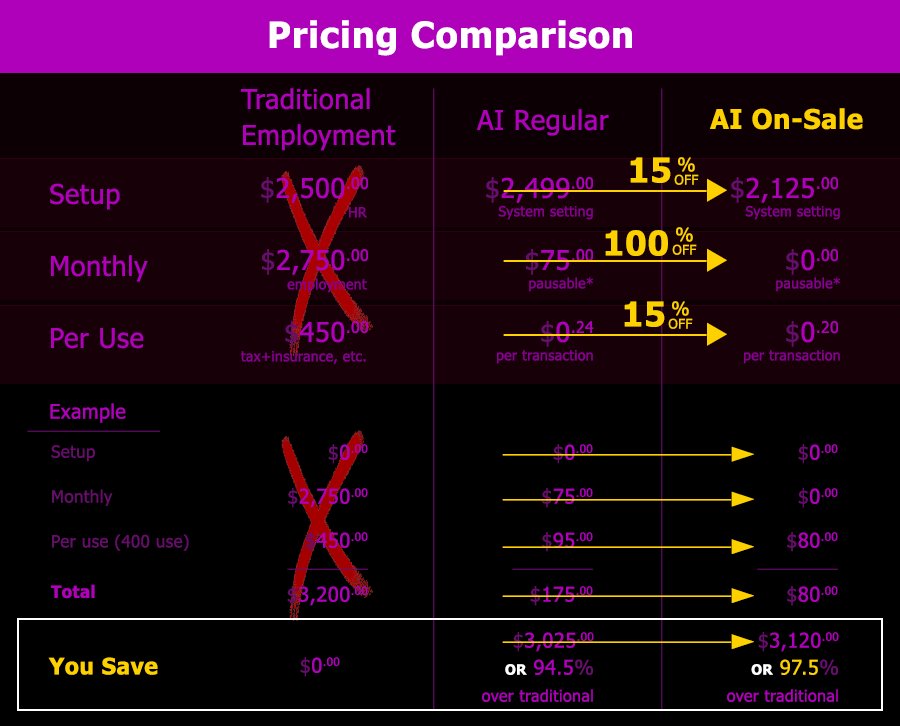
Save up to 93% on bookkeeping costs:
For a limited time only:
Top unique Features:
Accuracy & Reliability
- Processes invoices, bank statements, and credit card statements, generating a separate output table for each type.
- Supports batch submission of multiple files per document type.
- Accepts JPG, PNG, HTML, and single-page PDF files—whether photographed or scanned.
- Extracts detailed line items into a separate table/sheet for deeper analysis.
- Automatically calculates pre-tax and tax amounts and categorizes each line item.
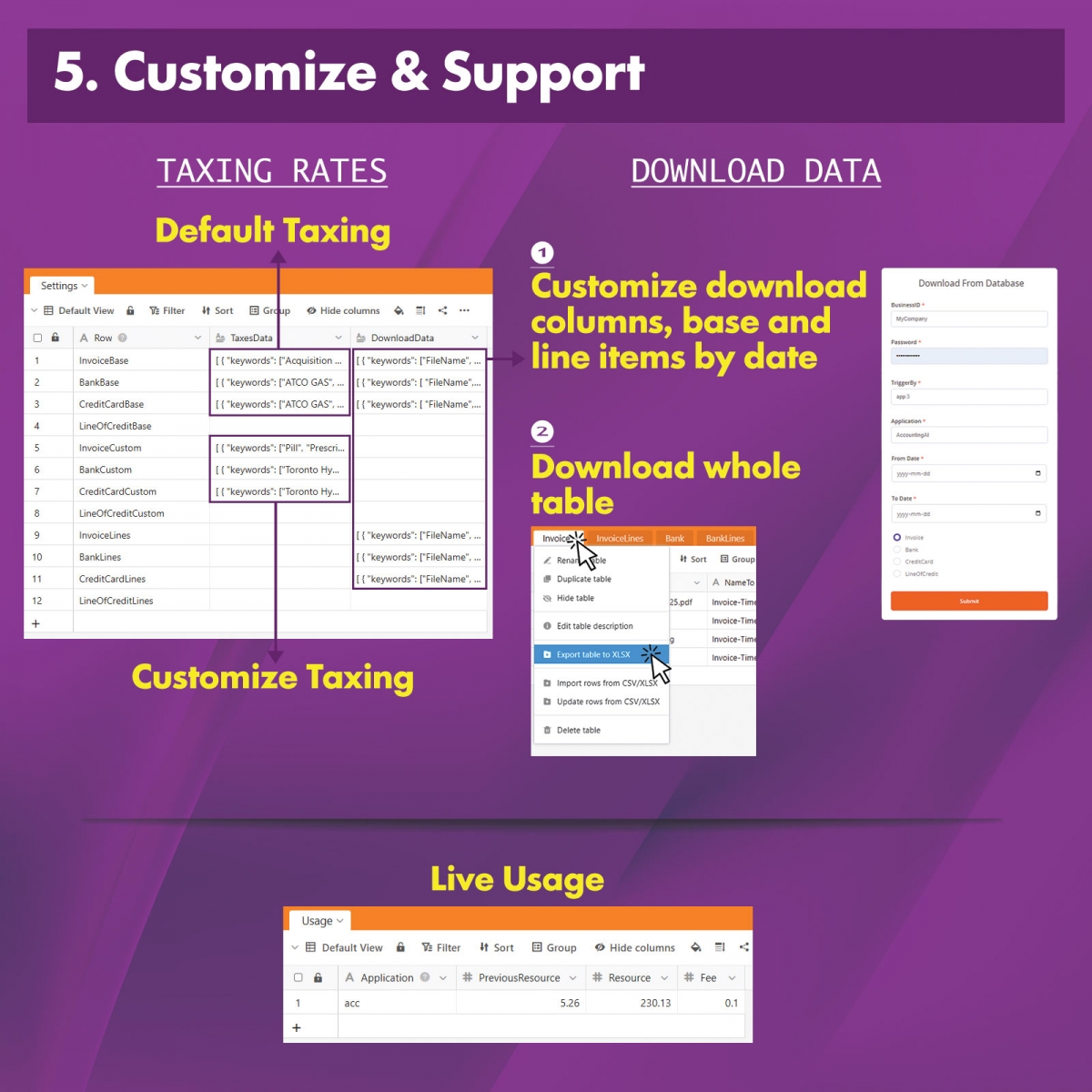
- Allows users to override or define custom categories.
- Allows users to override or set custom tax rates.
- Offers three quality levels for processing.
- Uses multi-OCR fallback, retrying with up to three engines to maximize accuracy.
- Handles and recovers from errors such as file issues, empty data, security restrictions, and formatting problems.
- Can rename, classify, and categorize input files based on type, company, and date for accurate output.
- Stores results in two database tables per document type: summary and line items.
Automation & Workflow
- Simple workflow—use your own Dropbox to upload, store, and submit documents.
- Runs on-demand with pressing a button.
- Processes every line items (along with moving file, database insertion, emailing, all the checks and etc.) at about 11 seconds, continuously and reliably.
- Automatically flags documents as valid, invalid, duplicates, check, or processed, and organizes them into appropriate folders and database fields.
- Maintains an inspectable workflow for easy review and verification.
Flexibility & Report
- Achieves a very low error rate: 2.5% ± 0.3%.
- Offers email reports, allowing users to verify results and review classified/labeled files.
- Outputs all data into a reportable, exportable, live online database compatible with all applications.
- Sends email notifications to keep users updated.
- Ensures data protection through secure username and password authentication.
- Provides significant cost efficiency—up to 93% savings.
Behind the Scene:
Once we receive your file and your trigger to process, our system then:
- Uses AI OCR (Optical Character Recognition) to extract text.
- Applies AI processor to identify key fields: categories, provider, date, amounts, taxes, shipping, totals, descriptions, and even individual line items.
- Formats the extracted data into a structured format (database / table), ready for direct use in your accounting or bookkeeping software.
- Inserts the data into the most appropriate location in your database or spreadsheet used by your accounting app, while labeling, renaming and saving your input file for easy reference or verification at any time.